Sequence Formatting: Slate, Bars, Leader & Pops
Every deliverable starts with the same technical block: bars, tone, slate, leader, and sync pops. These elements exist so that anyone downstream — color, sound, QC, broadcaster — can verify the deliverable is intact and in sync. Getting this right every time is non-negotiable on broadcast or streaming deliveries.
The Standard Head & Tail Block
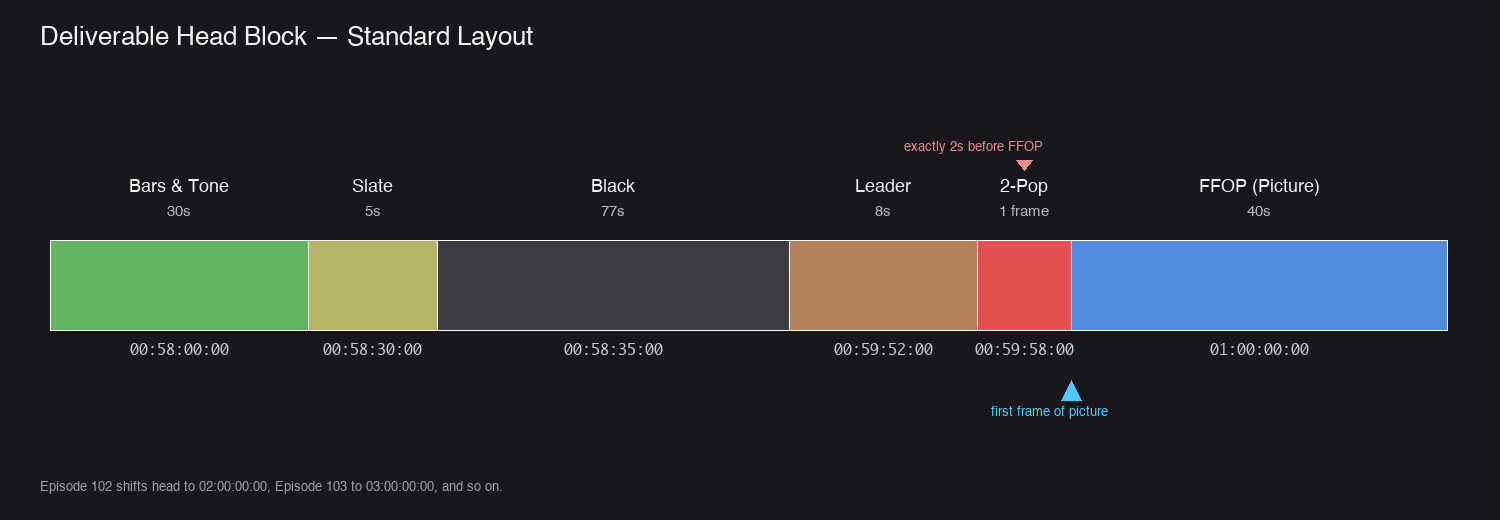
Here is the full head-to-tail structure of a typical program deliverable:
Timecode       Element                       Duration
───────────────────────────────────────────────────────
00:58:00:00    Bars & Tone                   30 seconds
00:58:30:00    Slate                          5 seconds
00:58:35:00    Black                         17 seconds
00:59:52:00    Leader / Countdown             8 seconds
00:59:58:00      └─ 2-pop (1 frame)          within leader
00:59:59:29    Last frame of leader
01:00:00:00    ⬇ FIRST FRAME OF PICTURE
   ...         [program content]
01:XX:XX:XX    Last frame of picture
01:XX:XX:02    Tail pop (1 frame)             2 seconds after last frame
01:XX:XX:04+   Black                          2 seconds minimum
Not every deliverable uses every element — some streaming specs skip bars and tone entirely. Always check the delivery spec before assuming.
Bars & Tone
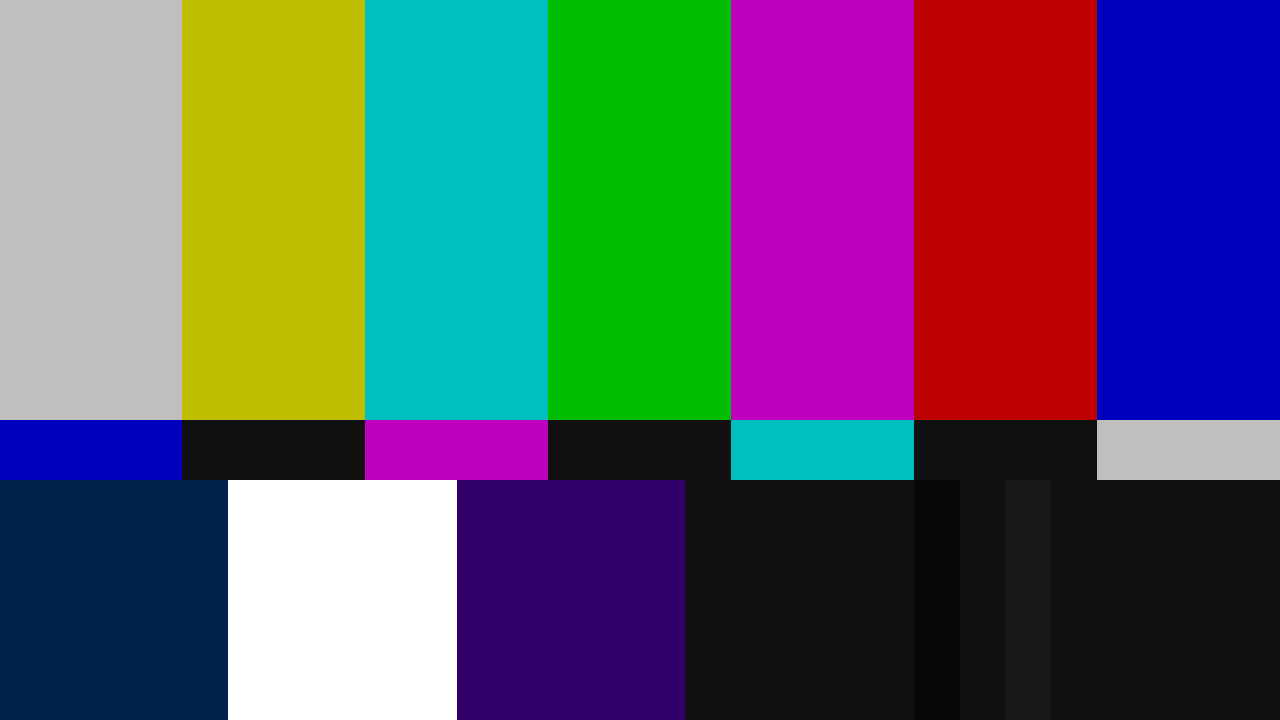
Purpose: a reference for calibrating video levels and audio level at the head of the deliverable.
| Attribute | Value |
|---|---|
| Position | First element, starts at 00:58:00:00 |
| Duration | 30 seconds (sometimes 60 seconds on broadcast specs) |
| Video | SMPTE Color Bars (HD = SMPTE RP 219, or a 100% bars test pattern) |
| Audio | 1 kHz tone |
| Audio level (US broadcast) | -20 dBFS |
| Audio level (EBU R128 line-up tone) | -18 dBFS (line-up tone — not the integrated loudness target, which is -23 LUFS; see Codec Reference) |
| Audio level (streaming, reference only) | -20 dBFS is safe default |
Note: Some streaming deliveries (Netflix, Prime Video) omit bars and tone — they use embedded reference tones or rely on loudness metadata. Always confirm with the spec.
Slate
Purpose: identifies the deliverable for everyone who will touch it downstream.
| Attribute | Value |
|---|---|
| Position | Immediately after bars & tone |
| Duration | 5 seconds |
| Audio | Silent |
Required Slate Fields
- Project Title
- Episode Title and Number (if applicable)
- Sequence Name
- Version Number (e.g.
v12,FINAL,M&E) - Editor’s Name
- Date of Export
- Total Runtime (TRT)
- Frame Rate
- Resolution
- Audio Format (Stereo, 5.1, M&E)
- Colorspace (Rec.709, Rec.2020, etc.) — include on HDR deliveries
- Aspect Ratio (16:9, 2.39:1, etc.)
A clean, readable slate avoids ambiguity three months later when the file is dusted off for re-delivery.
Leader / Countdown
Purpose: a visual and audio reference that announces the imminent first frame of picture.
| Attribute | Value |
|---|---|
| Position | 8 seconds before first frame of picture (00:59:52:00 for a 01:00:00:00 start) |
| Duration | 8 seconds |
| Content | Countdown from 8 (or traditional Academy Leader), reference audio |
The leader is usually built from a standard countdown asset. The 2-pop sits within the leader at exactly 2 seconds before FFOP.
Clarification: The phrase “8-second leader with 2-pop at the 2-second mark” means the 2-pop occurs at the 2-second-remaining point of the leader — 6 seconds in, 2 seconds before picture. Not at 2 seconds from the start.
2-Pop
Purpose: a one-frame sync reference exactly 2 seconds before the first frame of picture.
| Attribute | Value |
|---|---|
| Position | Exactly 2 seconds before FFOP — 00:59:58:00 for 01:00:00:00 start |
| Duration | 1 frame |
| Video | 1-frame visual mark (white circle on black, or “2” numeral) |
| Audio | 1-frame 1 kHz tone at reference level |
If the 2-pop and tail pop don’t line up perfectly, there is an audio/video sync problem somewhere.
First Frame of Picture (FFOP)
| Attribute | Value |
|---|---|
| Standard start TC | 01:00:00:00 |
| Episodic TC | Episode 101 = 01:00:00:00, 102 = 02:00:00:00, 103 = 03:00:00:00, etc. |
| Feature TC | Usually 01:00:00:00 unless reel-based delivery |
Verify no stray black or extraneous frames sit between the leader and FFOP. Even a single black frame will throw off every downstream timecode reference.
Tail Pop
Purpose: a sync point at the end of the program that mirrors the head 2-pop.
| Attribute | Value |
|---|---|
| Position | Exactly 2 seconds after the last frame of picture |
| Duration | 1 frame |
| Video / Audio | Identical to 2-pop |
Example: if your last frame of picture is 01:30:00:00, the tail pop falls at 01:30:02:00.
After the tail pop, include at least 2 seconds of black before the file ends. Longer tails (up to 10 seconds of black) are also common and harmless.
End Credits
If the program includes end credits:
- Credits play after the last frame of program content but before the tail pop
- Ensure credit duration is included in the Total Runtime
- Credit speed should match the standard for the delivery territory (broadcast typically requires credits to be readable at a defined minimum dwell)
- Confirm font, sizing, and safe-area compliance
Drop Frame vs Non-Drop Frame
A frequently-missed detail:
| Delivery | Common Timecode |
|---|---|
| US broadcast at 29.97 fps | Drop Frame (indicated by semicolons: 01;00;00;00) |
| Streaming at 23.976 fps | Non-Drop Frame (indicated by colons: 01:00:00:00) |
| US broadcast at 59.94 fps | Drop Frame |
| PAL territories at 25 fps | N/A (no drop frame concept) |
If the delivery spec calls for drop frame, the sequence must be set to drop frame — otherwise run times will be off by a few seconds per hour.
Final Checks
- Bars & tone at correct position, correct duration, correct audio level
- Slate is readable and contains all required fields
- Leader is 8 seconds, 2-pop placed 2 seconds before FFOP
- FFOP starts at the correct timecode for the episode
- No stray black or extraneous frames between leader and FFOP
- Tail pop placed exactly 2 seconds after last frame of picture
- At least 2 seconds of black after tail pop
- Drop frame / non-drop frame matches the delivery spec
- Total Runtime (TRT) on slate matches the actual duration